
If GitHub goes down, does your application stay up?
The GitHub incident shows that an application can stay online while losing the ability to deploy, scale, or roll back safely.
Resilient production is not only about keeping current processes running. It is about preserving the ability to scale, rebuild, and return to a stable version when an external dependency fails.
What happened to GitHub
On the morning of August 17, 2026, GitHub began experiencing widespread degradation. The incident was opened at 13:40 UTC and affected Git Operations, API Requests, Actions, Pull Requests, Issues, Pages, Webhooks, and Copilot.
During the incident, GitHub reported error rates of roughly 20% across web experiences and API traffic. Raw repository content and archive downloads reached about 50% errors. SAML, OIDC, SCIM, and Team Sync were also affected.
A broad mitigation was reported at 16:59 UTC, but some failures returned or persisted across Git operations, Issues, API traffic, and authentication. The incident was closed at 21:15 UTC: 7 hours and 35 minutes from opening to resolution.
This does not mean all of GitHub was completely unavailable throughout the entire period. Services recovered at different times, and part of the impact was elevated error rates rather than uniform total downtime.
At publication time, GitHub said it had identified a problematic component and applied corrective actions, but it had not yet published a detailed root-cause analysis. Attributing the incident to an attack, DNS, a database, a deployment, or overload would be speculation.
The question left after the incident
While following the updates, one question seemed more useful than guessing the cause: if GitHub becomes unavailable, does your application stay up, and can it still recover?
If the code is already built, servers are running, and no resource is loaded directly from GitHub, the application may keep serving users normally. But what happens if a pod must be replaced, a new instance must start, or the team needs to return to the previous version?
An apparently healthy production environment may have lost its recovery capability. That is the less visible — and more interesting — risk in this kind of failure.
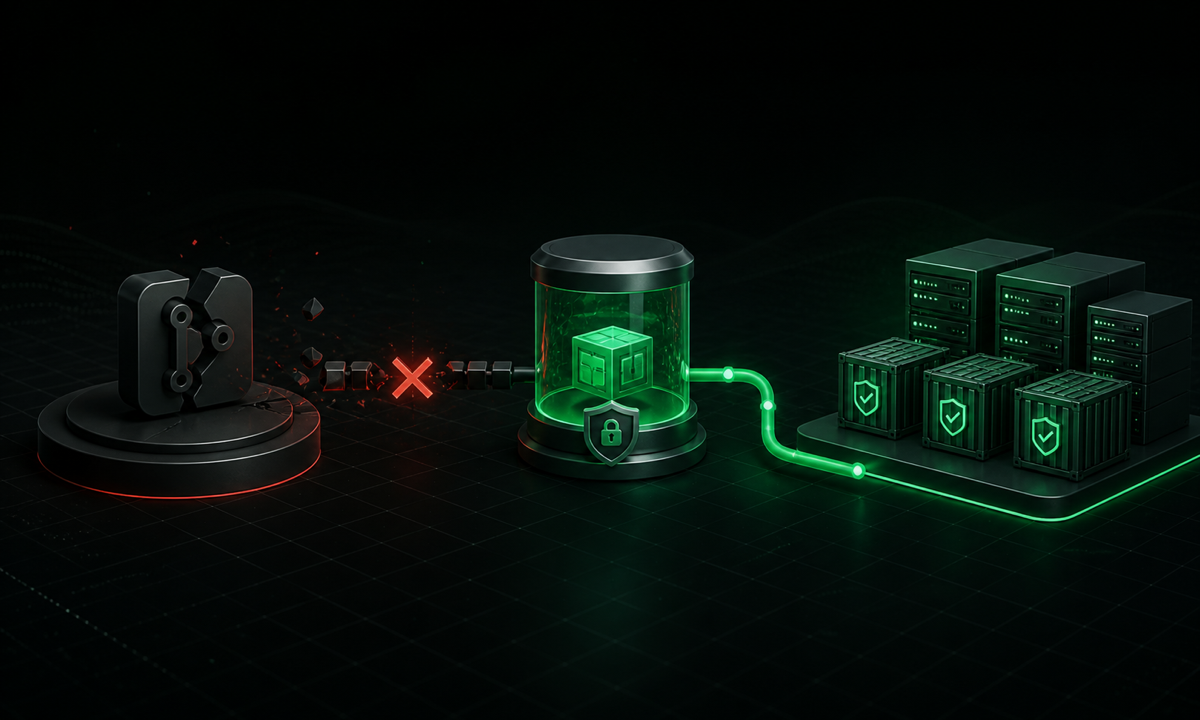
Four levels of GitHub dependency
1. Collaboration
Pull Requests, Issues, and reviews become unavailable. The team works with more friction but can still create local commits and wait for the platform to return. The initial impact is internal.
2. Delivery
Actions, webhooks, APIs, or OIDC stop working. The current version keeps running, but urgent changes cannot reach production. The risk moves from development into operations.
3. Recovery
Images, manifests, packages, or the GitOps repository cannot be retrieved. Rollback, autoscaling, pod replacement, and environment rebuilding may fail. A second incident becomes harder to contain.
4. Runtime
The application calls APIs, uses GitHub OAuth, serves content through Pages, or downloads raw files during a request. The outage reaches the user directly.
Where coupling hides in plain sight
- GitHub Actions is the only authorized deployment path.
- Production images exist only in GHCR.
- Private packages exist only in GitHub Packages.
- Argo CD or Flux reads manifests directly from GitHub.
- The application downloads configuration from raw.githubusercontent.com.
- The pipeline depends on GitHub OIDC for temporary cloud credentials.
- Webhooks trigger processes without a queue, redelivery, or reconciliation.
- The rollback procedure starts by opening the Actions tab.
None of these tools is bad by itself. The problem begins when a development dependency enters a path that should survive an external failure.
A code backup is not operational continuity
A common response is to create a repository mirror. That is useful: Git can clone every ref with git clone --mirror, update the mirror, and push the content to another server. Git bundles can also preserve history and refs without an active server.
A mirror, however, preserves the Git repository. It does not automatically copy Pull Requests, Issues, secrets, environments, Actions history, caches, workflow artifacts, Packages, organizational rules, and integrations.
The team must also define an acceptable synchronization delay and how the mirror will be promoted without creating two sources of truth. An improvised bidirectional failover can create divergence when GitHub returns.
Backup preserves information. Continuity preserves operational capability.
A self-hosted runner is not independence from Actions
Moving the runner to company infrastructure provides control over hardware, operating system, network, and tools. It reduces dependence on GitHub-hosted compute, but the runner still connects to GitHub to receive job assignments.
The control plane remains in Actions. In GitHub Cloud, workflow caches used by self-hosted runners also remain in GitHub-controlled storage.
The Actions incident from August 6 to 7 reinforces this distinction: both GitHub-hosted and self-hosted runners were affected by failures in job processing and assignment.
A self-hosted runner is an execution choice. By itself, it is not a continuity plan for the control plane.
A minimum reference architecture
Remove GitHub from runtime
The running application should consume resources from the production environment: images from an appropriate registry, configuration from a dedicated service, secrets from a vault, and assets from object storage or a CDN. Fetching code or configuration from GitHub during a request turns a development tool into a runtime dependency.
Build once, deploy many
1code2 -> build and tests3 -> immutable artifact4 -> registry or artifact repository5 -> deploy by version or digestRollback should not rebuild the previous commit. It should point to an artifact that is already built, validated, and stored. For containers, tags help people, but a digest identifies the exact content. For critical workloads, the registry can be independent of GitHub and replicated before failure.
Keep the pipeline portable
The more logic exists only inside GitHub Actions YAML, the more expensive it is to run the process elsewhere. Build, tests, packaging, and deployment can live in scripts, a Makefile, or a Taskfile. Actions remains the primary orchestrator but calls commands another system can also execute.
Separate delivery from recovery
A normal deployment can require every gate. An emergency rollback has another purpose: restore an already approved version. The path must know which version is running, where the last stable artifact is stored, who can authorize the operation, and how to record evidence afterward.
An emergency credential should not mean a permanent administrative token. Access must be limited, audited, and temporary whenever possible.
Treat webhooks as events that fail
GitHub states that failed webhook deliveries are not automatically redelivered. A reliable integration needs idempotent processing, a persistent queue, retries with backoff, a dead-letter queue, redelivery, and periodic state reconciliation.
A practical plan across three horizons
Now
- Map calls to GitHub, its API, raw content, GHCR, Packages, and OIDC.
- Confirm where the latest stable artifacts are stored.
- Check whether rollback requires a new build.
- Document the manual recovery path.
- Subscribe to GitHub Status alerts.
Over the next 30 days
- Create mirrors for truly critical repositories.
- Store production images in an appropriate registry and evaluate replication.
- Move core logic out of pipeline YAML.
- Configure a proxy for required packages.
- Add reconciliation for important webhooks.
- Prepare a reduced deployment or rollback path independent from Actions.
Quarterly
- Simulate GitHub unavailability.
- Try to scale or recreate an instance during the test.
- Run a rollback without using the GitHub interface.
- Measure real RTO and RPO.
- Review emergency credentials and audit trails.
- Update the runbook with what failed during the exercise.
A plan that has never been executed is only a well-formatted hypothesis.
The cost of redundancy also matters
Not every project needs two Git providers, two pipelines, two registries, and automatic failover. That complexity has financial, operational, and security costs. RTO defines how long operations may remain unavailable; RPO defines how much recent state may be lost.
A personal blog may accept waiting for the provider to return. A payment system may need rollback and rebuilding during an external platform failure. Architecture should follow criticality, not fear of the incident of the day.
Conclusion
The incident draws attention because GitHub sits at the center of many teams’ work. But the lesson extends beyond one provider. Any platform can become a single point of failure when it alone controls code, pipeline, artifact, identity, and recovery path.
A resilient application does not need to pretend external dependencies never fail. It needs to remain predictable when they do.
If GitHub goes down and production keeps serving users, that is a good start. If you can still scale, recover, and return to a stable version, then you have a real resilience strategy.