
Tools I have been testing to study and build faster
Practical criteria for testing tools for studying, AI-assisted development, documentation, prototyping, and validation without turning every new app into part of the workflow.
New tools can help a lot in a study and development routine, but they can also become a distraction. The main lesson is to test less because of hype and more because of the real problem each tool solves.
Context
The ecosystem of development tools changes very quickly.
Every week there is a new editor, extension, notes app, AI platform, coding assistant, interface generator, automation tool, or workflow promising to make everything simpler.
I like testing tools. It is part of the routine of someone who studies development, follows AI, and tries to turn ideas into practical projects. Many times, a tool really does reduce friction: it helps organize an idea, understand documentation, build a first version, review text, or see a path that was unclear.
But there is also a less polished side to this story. A new tool can become a sophisticated form of procrastination. You switch apps, reorganize the environment, configure a workflow, save a lot of things, and end the day with a sense of movement, but without studying better, writing better, or building something clearer.
That is why I have been trying to look at tools with more judgment: not as a list of magic shortcuts, not as a definitive ranking, and definitely not as a sponsored recommendation.
The problem with testing tools out of excitement
The central question of this post is: how can we test tools to study and build faster without turning the routine into a collection of distractions?
This question matters because tools almost always arrive with an implicit promise: do more, do better, move faster, organize everything, automate a boring part, or reduce effort.
Some deliver part of that promise. Others only move the effort somewhere else.
A notes app can organize ideas, but it can also become a place where everything goes in and nothing comes back. An AI tool can explain a concept, but it can also generate a convincing answer that needs to be checked. An editor or extension can reduce friction, but it can also add too much configuration.
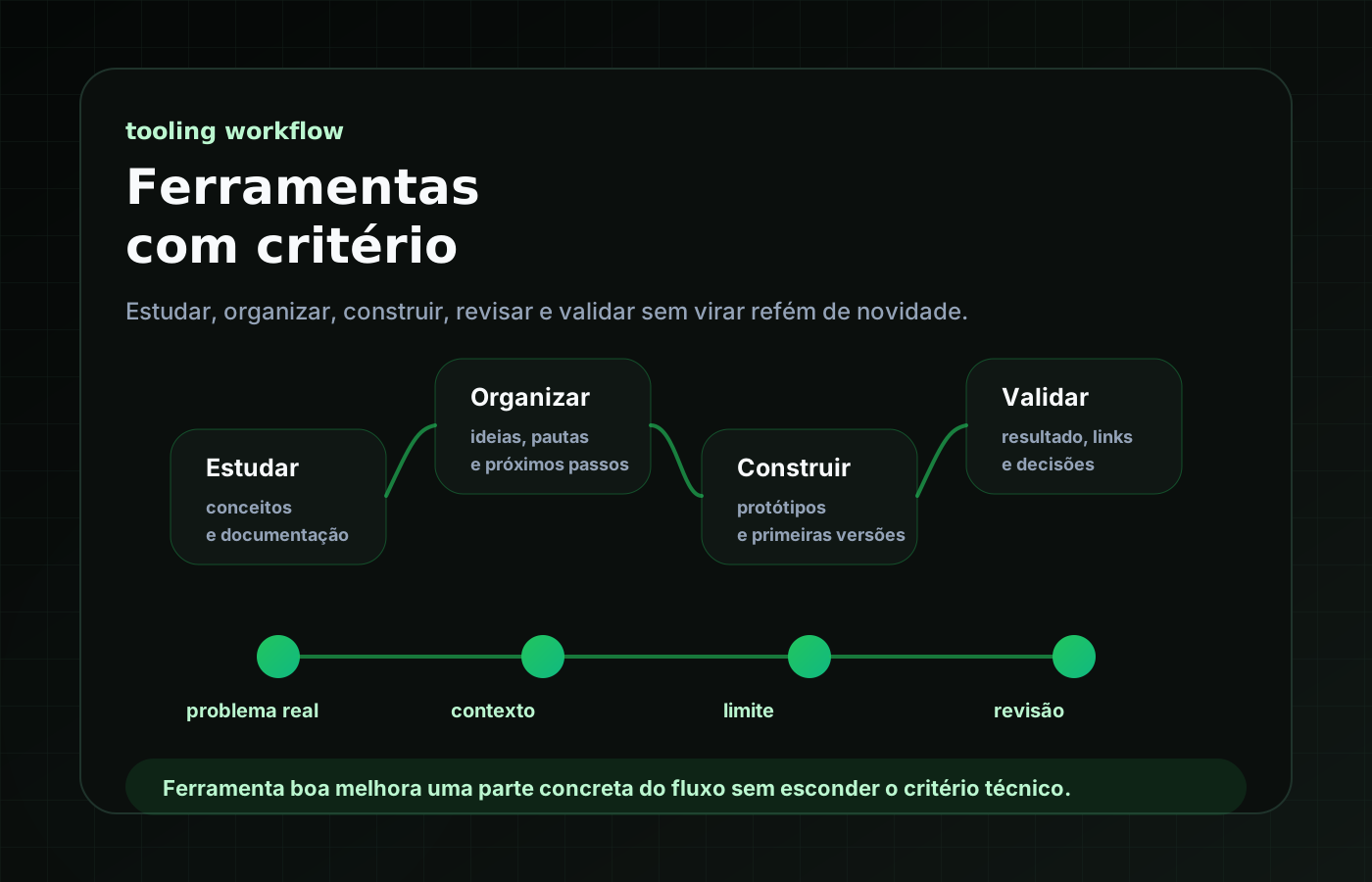
Before deciding whether a tool deserves a place in the routine, I have been trying to separate four things: usage context, the problem it solves, perceived benefit, and its limit or adoption cost.
- Usage context: where does this tool fit in the workflow?
- Problem: what real friction does it reduce?
- Perceived benefit: what became clearer, simpler, or easier to review?
- Limit: what cost, dependency, or complexity does it add?
The path I have been testing
The path I have been using is simple: test tools by function, not excitement. Instead of opening a new tool and trying to fit everything into it, I try to start with the kind of friction I am feeling in the workflow.
Tools for organizing ideas
Some tools enter the routine to capture and organize thinking. This type of tool helps when there are many things scattered around: post ideas, study topics, project notes, references, prompts, technical decisions, and next steps.
The criterion here is not having the most complete app. It is being able to come back later and understand what that note meant.
- Can I capture an idea quickly?
- Can I find it later?
- Can I separate a loose idea from a real task?
- Can I turn a note into an outline, spec, or next step?
- Does it reduce confusion or just create one more place to store things?
AI tools for studying and comparing paths
AI tools have been useful mainly as support for reasoning. I use this kind of tool to explain concepts, compare approaches, suggest structures, review text, surface risks, create better questions, and turn a vague idea into something easier to discuss.
But this use needs care. AI can speed up the start of a study a lot, but it does not replace official documentation, practical testing, and critical review.
- Where does this claim come from?
- Is it still valid in the current version of the tool, framework, or library?
- Is there official documentation that confirms it?
- Does the answer respect my project context?
- Did it explain the reasoning or only deliver a conclusion?
Tools for building prototypes
Another important category is tools that help move from an idea to something navigable. This includes vibe coding workflows, interface generators, coding assistants, AI-enabled editors, and environments that reduce the friction of creating a first version.
This type of tool is powerful because it reduces the distance between imagining and testing. But it can also mislead: a finished screen creates a sense of progress, a navigable flow looks like a product, and a polished interface can make a weak hypothesis look more mature than it really is.
- What problem does this first version want to observe?
- What is the smallest flow that needs to exist?
- What is out of scope?
- What do I expect to learn by navigating it?
- How will I review whether the result respected the initial intention?
Tools for documentation and repurposing
I have also been paying attention to tools that help document decisions and repurpose content. In the context of brunopaim.tech, this appears in workflows such as turning an idea into an outline, an outline into a draft, a draft into approved content, and approved content into a validated implementation.
Here, a tool does not need to be sophisticated to be useful. Sometimes, what helps most is a well-organized file, a simple template, a clear checklist, or a structure that prevents publishing something too early.
Tools for reviewing and validating
A less flashy but very important part is the set of tools and commands that help verify whether something is actually done.
In development, this can be build, generate, preview, browser checks, route inspection, diff review, link checks, or Git status. In content, it can be tone review, reading aloud, sensitive information checks, internal link validation, social preview, and consistency with the approved outline.
A practical example
A simple example is creating a blog post.
Without judgment, the flow could be: have an idea, ask AI for an article, review it quickly, and publish. This path is fast, but fragile.
In the flow I have been testing, the tool enters clearer stages: the idea is recorded in the backlog, the outline defines thesis and scope, the draft develops the text, repurposed content is planned, manual approval checks tone and consistency, and only then does the content become an implementation on the site.
In this process, AI can help in many parts. It can structure the outline, suggest angles, review clarity, surface SEO queries, propose repurposing, and help transform the text into the post format. But it does not decide by itself that it is ready.
The tool accelerates. The process gives direction. Validation gives confidence.
How I decide whether a tool stays
After testing a tool, I try to observe a few signals.
Positive signals
- It solves a problem I already had before discovering the tool.
- It reduces a repetitive step without hiding important decisions.
- It makes the workflow clearer after the initial excitement.
- It fits the tools and files I already use.
- It helps me produce, review, or learn more consistently.
- It does not require reorganizing the whole routine to justify its existence.
Warning signs
- It seems useful, but I never return to it.
- It requires too much configuration for too little gain.
- It creates one more place where information gets scattered.
- It promises to replace a step I still need to understand.
- It makes exporting or preserving context harder.
- It generates fast results that are difficult to review.
- It encourages publishing, automating, or implementing before thinking.
Lessons learned
- A good tool is not necessarily the most famous one. It is the one that solves a real problem in the right context.
- Testing tools without judgment can become distraction disguised as productivity.
- AI helps a lot with studying and building, but it needs documentation, validation, and technical review.
- Organization tools only work when they help recover and transform ideas, not only store things.
- Fast prototyping is useful as long as the hypothesis is minimally clear.
- Documentation and checklist tools can be as important as flashier tools.
- Adoption cost also matters: time, configuration, dependency, lock-in, and workflow maintenance.
- Sometimes, the best decision is not adding a new tool.
Limits and caveats
This post is not a definitive list of tools. It is also not a ranking, a sponsored review, or a universal recommendation. A tool can work very well for one person and get in the way for another, depending on context, project, study moment, and even the level of understanding of the problem.
Another limit is that tools change quickly. Interfaces, prices, limits, models, integrations, and terms of use can change. That is why any specific mention of tools needs careful review.
It is also worth reinforcing: tools do not replace fundamentals. They can accelerate reading, writing, prototyping, organization, and review. But they do not remove the need to understand what is being done, validate information, review code, check documentation, and take responsibility for decisions.
Conclusion
I have been enjoying testing tools more and more, but with less urgency to turn every novelty into a fixed part of the routine.
Today, the criterion that helps me most is simple: does this tool improve a concrete part of my workflow, or does it only add another layer of complexity?
When it helps me study better, organize ideas, build a first version, review a decision, or preserve context, it is worth continuing to test. When it only moves the problem somewhere else, it may be better to let it pass.
A good tool is not the one that promises to do everything. It is the one that enters the process without taking away what remains essential: clarity, technical judgment, review, and responsibility for what is being built.