
React 19.3: why this evolution makes frontend development more complete
Learn how React 19.3 connects concurrency, Suspense, animation, SSR, and DOM access — and how that evolution compares with Vue, Angular, Astro, and Svelte.
React 18 built the concurrent engine; React 19.3 turns that engine into developer experience and user experience.
When a new framework release arrives, it is easy to turn the analysis into an API list. For React 19.3, that list would include View Transitions, Fragment Refs, `browser()`, Trusted Types, and a few Server Components improvements.
The list is accurate, but it misses the most interesting part. React 19.3 is particularly good for development because several ideas built since React 18 finally start behaving like one system.
React could already distinguish urgent from non-urgent updates. It could suspend part of the tree, stream HTML from the server, preserve hidden UI, and organize asynchronous mutations. Now the same model can coordinate how a change appears, how a group of DOM nodes is accessed, and how browser-only UI participates in server rendering.
This does not mean React invented declarative animation, reactivity, or hybrid rendering. Vue, Angular, Astro, and Svelte all have strong answers to those problems. React 19.3 stands out through convergence: loading, priority, content reveal, and motion now communicate through the same mental model.
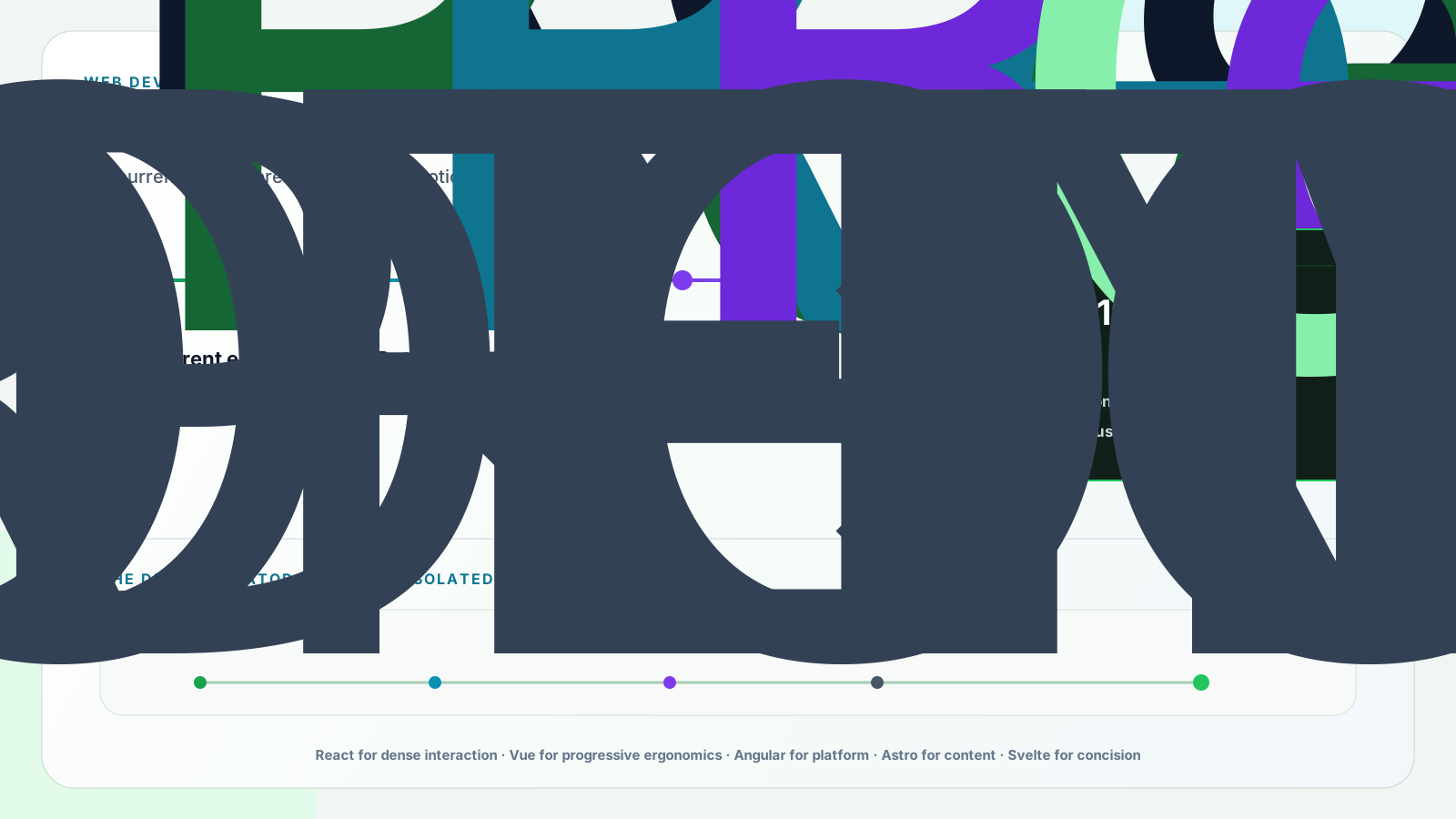
From React 18 to React 19.3: cumulative evolution matters
React 18 built the concurrent foundation
React 18 introduced the concurrent renderer, automatic batching, Transitions, and the foundation for Suspense with streaming server rendering. The key change was not an automatically faster screen. It was React’s ability to prepare, interrupt, and prioritize rendering work.
`startTransition` let developers mark an update as non-urgent without delaying immediate feedback. Suspense became part of the server rendering architecture rather than only an idea associated with code splitting. The engine existed, but applications did not yet have all the higher-level APIs needed for everyday product work.
React 19 connected asynchronous work and mutations to the model
React 19.0 added Actions, `useActionState`, `useFormStatus`, `useOptimistic`, and function support in form `action` props. It also stabilized Server Components consumption for frameworks, introduced `use`, and simplified APIs such as ref as a prop and `<Context>` as a provider.
The benefit was not merely fewer lines. Forms, pending state, failures, and optimistic updates became part of the Transition model, reducing the manual state that often accumulates around a mutation.
React 19.1 improved debugging and reliability through Owner Stacks and Suspense and hydration refinements. React 19.2 added `<Activity>`, `useEffectEvent`, Performance Tracks, and server APIs for Partial Pre-rendering. Hiding UI without discarding its state became especially useful for preparing screens and managing background work.
React 19.3 brings the infrastructure closer to visible experience
React 19.3 stabilizes `<ViewTransition>` and Fragment Refs. It also adds `browser()` to React DOM, improves Trusted Types integration, lets Server Components directly render Context imported from a `use client` module, and renders independent Transitions without letting a slow update hold unrelated ones back.
Separately, React Compiler 1.0 became stable and can automate some memoization work previously handled through `useMemo`, `useCallback`, and `memo`. It is not part of React 19.3 and also supports React 17 and 18, but it reinforces an ecosystem direction that moves mechanical optimization work from developers into tooling.
View Transitions: motion reflects update intent
The new `<ViewTransition>` component uses the browser’s View Transition API to animate elements entering, leaving, moving, resizing, or being shared between two UI locations.
Other frameworks and libraries have solved animation for years. What makes the React 19.3 integration interesting is when animation runs. A normal `setState` update remains urgent and does not trigger a View Transition. An update inside `startTransition`, a Suspense reveal, or a value coming from `useDeferredValue` can activate it.
1import { Suspense, ViewTransition, startTransition, useState } from 'react';23export function ProductDetails() {4 const [open, setOpen] = useState(false);56 function toggleDetails() {7 startTransition(() => {8 setOpen((current) => !current);9 });10 }1112 return (13 <section>14 <button onClick={toggleDetails}>15 {open ? 'Close details' : 'View details'}16 </button>1718 {open && (19 <ViewTransition enter="details-in" exit="details-out">20 <Suspense fallback={<ProductSkeleton />}>21 <ProductContent />22 </Suspense>23 </ViewTransition>24 )}25 </section>26 );27}The button responds immediately. Opening the panel is a Transition. If the content suspends, the fallback appears and the final reveal can animate. Instead of coordinating mounting, CSS classes, loading, and callbacks through parallel states, the code describes the update intent and the visual boundary that participates in it.
`<ViewTransition>` currently works only in the DOM, depends on browser support, and does not automatically disable animation for users who prefer reduced motion. Applications must handle `prefers-reduced-motion` in CSS.
Fragment Refs: behavior over a group without inventing a div
Fragments have always allowed multiple elements without an additional DOM node. The difficulty appeared when those elements needed to be observed, measured, focused, or receive listeners as a group.
The usual options were adding a `div`, forwarding multiple refs, or changing internal components. A wrapper could break Grid, Flexbox, semantics, or styles. Fragment Refs provide a limited set of DOM operations over a Fragment’s children without changing the rendered structure.
1import { Fragment, useEffect, useRef } from 'react';23export function InView({ children, onChange }) {4 const groupRef = useRef(null);56 useEffect(() => {7 const group = groupRef.current;8 if (!group) return;910 const observer = new IntersectionObserver((entries) => {11 onChange(entries.some((entry) => entry.isIntersecting));12 });1314 group.observeUsing(observer);15 return () => group.unobserveUsing(observer);16 }, [onChange]);1718 return <Fragment ref={groupRef}>{children}</Fragment>;19}A `FragmentInstance` can also move focus, blur elements, register events, get rectangles, and scroll to children. This is valuable for behavior components that should not impose layout on visual components.
This does not mean semantic containers should be removed. If elements form a list, section, group of controls, or meaningful region, the correct HTML still wins. Fragment Refs solve accidental wrappers; they do not replace semantics.
browser(): an official escape hatch for UI that truly does not exist on the server
SSR applications render a component on the server and later hydrate it on the client. Most components should produce compatible output in both environments. Some information only exists in the browser, however: `localStorage`, the local time zone, device-specific APIs, or client-only caches.
A common pattern was to create a `mounted` state, update it in `useEffect`, and render only after that. Another approach scattered direct checks for the existence of `window` through the code, risking mismatched HTML and hydration problems. In React 19.3, `use(browser())` suspends on the server and continues normally on the client. The nearest Suspense boundary places its fallback in the initial HTML.
1'use client';23import { Suspense, use } from 'react';4import { browser } from 'react-dom';56function LocalTimeZone() {7 use(browser());8 const timeZone = new Intl.DateTimeFormat()9 .resolvedOptions()10 .timeZone;1112 return <strong>{timeZone}</strong>;13}1415export function EventTimeZone() {16 return (17 <p>18 Your time zone is{' '}19 <Suspense fallback={<span>detecting…</span>}>20 <LocalTimeZone />21 </Suspense>22 </p>23 );24}The difference looks small, but the model is clearer: the component has no useful server representation, so it explicitly participates in Suspense. The rest of the page can still render on the server.
`browser()` should not become a general-purpose SSR off switch. It only works in Client Components and requires a Suspense boundary. When the server can produce valid initial UI, that remains the better experience.
Trusted Types and Server Components: smaller but meaningful advances
Trusted Types is a browser security feature that helps prevent DOM-based XSS. With an appropriate Content Security Policy, sinks such as `innerHTML` can require typed objects created by trusted policies.
Previous React versions converted those objects back into strings before passing them to DOM APIs. React 19.3 preserves them, allowing the browser and application policies to perform the expected validation. This does not make unsafe HTML safe by itself: CSP, sanitization, and correct policies remain necessary.
For Server Components, a Context created in a `use client` module can now be imported and rendered directly by a Server Component without a separate provider wrapper. It is a small boilerplate reduction aligned with React’s effort to make server-client boundaries more explicit and less ceremonial.
Why this is particularly good for development
- Less auxiliary state: Actions, form hooks, Effect Events, and browser() remove recurring patterns in specific cases.
- A common language for asynchronous UI: Transitions, Suspense, Activity, and ViewTransition share priority, waiting, and reveal.
- Cleaner DOM: Fragment Refs reduce wrappers created only to receive a ref or attach behavior.
- Better investigation: Owner Stacks and Performance Tracks expose origin, scheduling, and rendering work.
- Less manual optimization: React Compiler can automate memoization, although it is separate from React 19.3.
- Incremental evolution: teams adopt each API where it solves a real problem.
The largest benefit is reducing parallel mechanisms. When loading, priority, and motion follow unrelated models, code accumulates flags and synchronization effects. Shared infrastructure makes the UI easier to describe and reason about.
React 19.3 versus Vue: concurrent integration or progressive ergonomics?
Vue is a progressive framework with templates, Single-File Components, and automatic reactive dependency tracking. Its `<Transition>` and `<TransitionGroup>` components provide mature primitives for enter, leave, and list animation; `<KeepAlive>` preserves dynamic component instances.
It would be misleading to claim that React 19.3 invented declarative animation and surpassed Vue. For many teams, Vue’s combination of templates, reactivity, and integrated APIs remains more direct. React’s argument is coordination: `<ViewTransition>` participates in `startTransition`, Suspense reveals, and `useDeferredValue`.
React 19.3 versus Angular: composable core or integrated platform?
Angular provides Router, forms, dependency injection, CLI, DevTools, SSR, SSG, incremental hydration, and Signals in one coordinated platform. For organizations that value consistent conventions and an official path for most concerns, that is a real strength.
React remains a library. This freedom lets architecture follow context, but it shifts more decisions to the team. In the motion comparison, `<ViewTransition>` is stable in React 19.3; in the documentation reviewed for this article, Angular Router’s View Transition API integration was still marked developer preview.
React 19.3 versus Astro: interactive application or content islands?
Astro starts from a different premise. Components render to HTML and CSS with no client JavaScript by default. Only islands explicitly marked with `client:*` directives are hydrated, and those islands can use React, Vue, Svelte, Preact, or other supported integrations.
For blogs, documentation, content portals, and landing pages, that model can send less JavaScript and remain simpler. React 19.3 becomes more compelling when the entire interface behaves like a product: frequent shared state, concurrent updates, several suspended regions, and interactions that need visual continuity.
The choice is not always exclusive. Astro can provide the content-oriented foundation and host React islands exactly where dense interactivity justifies their cost.
React 19.3 versus Svelte: explicit scheduling or concise compilation?
Svelte moves substantial work into the compiler and lets developers write reactive components with little ceremony. Transitions belong to the framework, and SvelteKit provides the official full-stack path.
React keeps a more explicit model: state, priority, boundaries, and composition appear in the component tree and APIs. That requires more concepts, but it lets developers express whether an update is urgent, may suspend, and should animate at a specific boundary. React Compiler moves the ecosystem toward inferred optimization, but it does not turn React into Svelte.
Comparing stacks is more honest than comparing names
- React 19.3: a UI library usually paired with Next.js, React Router, or another framework; strong for interactive, asynchronous products.
- Vue: a progressive framework often paired with Nuxt for full-stack requirements; strong in ergonomics, templates, and gradual adoption.
- Angular: a complete, opinionated platform; strong in standardization, integrated tooling, and organizational scale.
- Astro: a content- and islands-oriented framework; strong in HTML by default, selective hydration, and little JavaScript.
- Svelte: a compiler-oriented framework with SvelteKit for full-stack work; strong in concision and reactive ergonomics.
React 19.3 substantially improves the interface layer, but it does not choose caching, routing, hosting, or the product’s complete data strategy. A fair comparison considers the complete stack and the problem it needs to solve.
When I would choose React 19.3
- The product has a dense interface, several asynchronous updates, and shared state.
- The team already understands React and wants fewer parallel mechanisms for loading, transitions, and DOM behavior.
- Suspense, streaming, Server Components, or state preservation are part of the selected architecture.
- Sharing knowledge or mental models with React Native has value.
- The React library ecosystem matters for the domain.
- The team can evaluate compatibility and adopt new APIs incrementally.
I would consider Astro when the project is mainly content and should send as little JavaScript as possible; Angular when the organization needs an integrated platform; Vue when templates and automatic reactivity fit the team better; and Svelte when concision and compilation are central priorities.
Choosing React only because it is popular is a weak argument. Choosing React 19.3 because its concurrent model matches how the product loads, changes, and preserves UI is a technical decision.
Limits and cautions before upgrading
- Server Components, Server Actions, and Partial Pre-rendering depend on framework and bundler support.
- ViewTransition works in the DOM and relies on the browser’s View Transition API.
- Applications must respect prefers-reduced-motion; React does not do it automatically.
- browser() requires a Client Component and Suspense and should be reserved for truly browser-dependent content.
- Trusted Types only helps when appropriate CSP and policies are configured.
- Fragment Refs do not replace semantic HTML.
- React Compiler is a separate, optional tool that also supports previous versions.
- Project libraries need compatibility checks before upgrading.
I would also avoid upgrading only to rewrite everything with the newest API. Good adoption begins with a real problem: a transition that is hard to coordinate, a wrapper that breaks layout, a client-only component with an artificial effect, or a performance investigation without enough visibility.
Conclusion
React 19.3 may be the release where the promise introduced in React 18 becomes easiest to see in the final product. Concurrency stops looking like internal infrastructure and starts organizing how UI waits, reveals, preserves, and moves.
This does not make React the best tool for every website. Astro may still be better for content. Angular may be better for standardization. Vue may be more direct for many teams. Svelte may provide a more concise experience.
For applications where asynchronous work, state, and interaction are central to the problem, React 19.3 is a compelling evolution. Not because it gained one isolated feature, but because the engine, architecture, and visual experience are finally starting to speak the same language.